How to make a free AI model accurate enough to trust
A free decision model is only as good as the examples you give it: fewer choices, a tuned yes-line and your own labelled data took Laya from 36% to 77%.
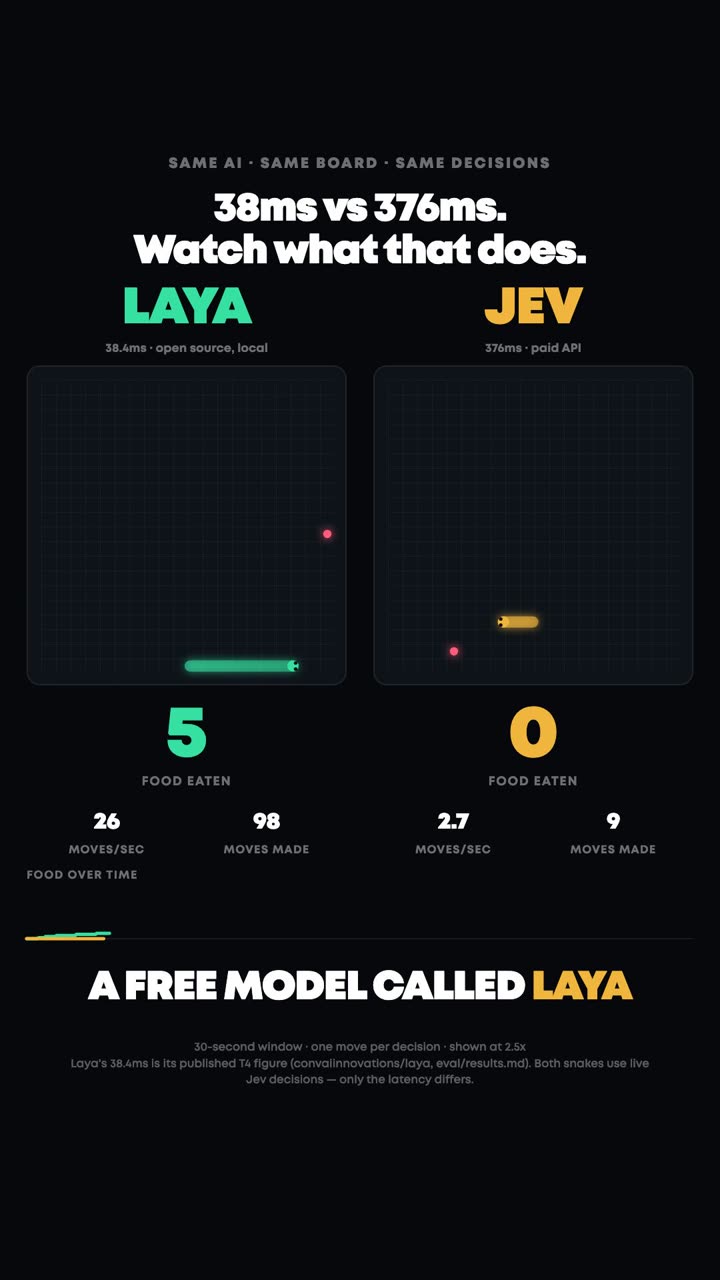
What the reel showed
Laya is a free, open decision model from Convai Innovations. Like Jev, it does not write text: you give it a situation and a short list of options, and it picks one with a confidence score. It is small enough to run on your own computer.
Out of the box, on the typed-decisions benchmark, Laya picks the right option 36% of the time. Guessing gets 32%. The same model, trained on that task's own examples, gets 77%, ahead of Jev at 73%.
The reel showed three fixes. Give it fewer choices. Set when it should say yes. Train it on your own examples.
| Entrant | Tool | Verdict |
|---|---|---|
| Laya, out of the box | typed-decisions | 36% right (guessing: 32%) |
| Laya, trained on the task | typed-decisions | 77% right |
| Jev 1.13 | typed-decisions | 73% right |
| Laya, 77 options | Banking77 | 43% right (Jev: 87%) |
| Laya, yes/no phishing check | PhishNChips | 51% raw, 61% after tuning its yes-line |
All numbers are published results, each on its own benchmark: typed-decisions (Convai's model card and the Luni Laya vs Jev benchmark), Banking77 and PhishNChips (Luni).
What this means for your business
Most repeat decisions in a business are small: which queue a ticket goes to, whether an invoice needs a second look, whether a lead is worth a call. A free model that runs on your own machine can make those decisions for nothing, and your data never leaves the building.
The catch is that a free model starts out close to guessing. What makes it useful is not a bigger model, it is your own history: the tickets you already sorted, the invoices you already approved. That record is the training data.
The model does not need to be right every time. It needs to know when it is unsure, so those cases go to a person or a paid model, and everything it is sure about gets handled on its own.
What I’d use
If you just want decisions working this week, use Jev on OpenRouter. It is accurate out of the box and costs a fraction of a cent per decision.
Train Laya when the same decision runs thousands of times, when the data should stay on your own machine, or when you already have a pile of past examples with the right answers. Then the checklist below is the way to do it.
Try it yourself
The five-step checklist. Steps 1 and 2 are yours: they need your knowledge of the business. Steps 3 to 5 are one prompt you paste into Claude Code (or Codex, if you use ChatGPT); it installs Laya, runs the tests and does the training. Laya itself is free.
Pick one decision and give it fewer choices
One decision, not ten. Write its options down and keep them under 20, each with one plain line saying when it applies. With 77 options Laya was right 43% of the time; it is built for short lists.
Collect your own labelled examples
Pull past cases with the right answer next to each: a spreadsheet with two columns, the text and the answer. Aim for around 1,000; the published 36% to 77% run trained on 1,200 cases. Remove names, emails and phone numbers first.
Hold some back and test it out of the box
Keep about 200 examples aside that the model never trains on. That is your honest test. Run Laya on them untrained first, so you know the starting score.
Train it on the rest
Fine-tune Laya on the remaining examples. Convai publishes a free notebook for this; on Kaggle's free GPUs their run took about 4 to 5 hours. Then run the same 200 held-back examples again and compare.
Set when it should say yes, and a backup for unsure cases
For yes/no questions, tune the confidence line on your held-back labels instead of trusting the default: that alone took a phishing check from 51% to 61%. Anything below the line goes to a person, or to Jev or Claude.
Let Claude Code do steps 3 to 5
Put your spreadsheet, saved as examples.csv with the columns text and answer, into an empty folder. Start Claude Code in that folder and paste this.
I want to train Laya, the free open decision model from Convai Innovations, on my own examples.
Read the model cards first:
https://huggingface.co/convaiinnovations/laya
https://huggingface.co/convaiinnovations/laya-typed-decisions

My examples are in examples.csv in this folder (columns: text, answer).
The allowed answers are: [list your options, each with one line on when it applies].

1. Set up a Python environment and install laya. Explain each step in plain words.
2. Split examples.csv: keep 200 rows aside as a test set that is never used for training.
3. Run the untrained Laya on the 200 test rows. Report accuracy and the 5 worst mistakes.
4. Fine-tune Laya on the remaining rows, following the model card. If my computer is too slow, prepare a notebook I can run on Kaggle's free GPUs and walk me through it.
5. Run the trained model on the same 200 test rows. Show before and after side by side.
6. Find the confidence cut-off where it is right at least 95% of the time on the test rows, and tell me what share of cases it would then handle on its own.
7. Write a small script I can run on a new text: it prints the answer if the model is above the cut-off, otherwise "unsure: send to a person".
Links
- Laya on Hugging FaceFree open weights, Apache 2.0huggingface.co
- Laya typed-decisionsThe trained model and its training noteshuggingface.co
- LayaConvai Innovations' decision modellaya.convaiinnovations.com
- KaggleFree GPU notebooks for the training stepkaggle.com
- Jev 1.13 on OpenRouterThe paid backup for unsure casesopenrouter.ai
- Claude CodeAnthropic's coding agentclaude.com
- Codex CLIOpenAI's coding agent, signs in with a ChatGPT plangithub.com
Got a pile of past decisions and no time to train a model?
Tickets, invoices, leads. I turn the history you already have into a model that sorts the next thousand, with a person or a paid model catching the unsure ones.